.png)
Why use Start a Call
The Start a Call feature lets you launch a live session instantly from any room. It’s the quickest way to connect with others, collaborate in real time, and access all your Hiyve tools without any setup delay.
Use Start a Call to:
-
Begin instantly: Start a new session with one click—no scheduling required.
-
Access all tools: Use features like Chat, Notes, Whiteboard, and File Sharing during the call.
-
Stay organized: All activity and files are automatically saved for later review.
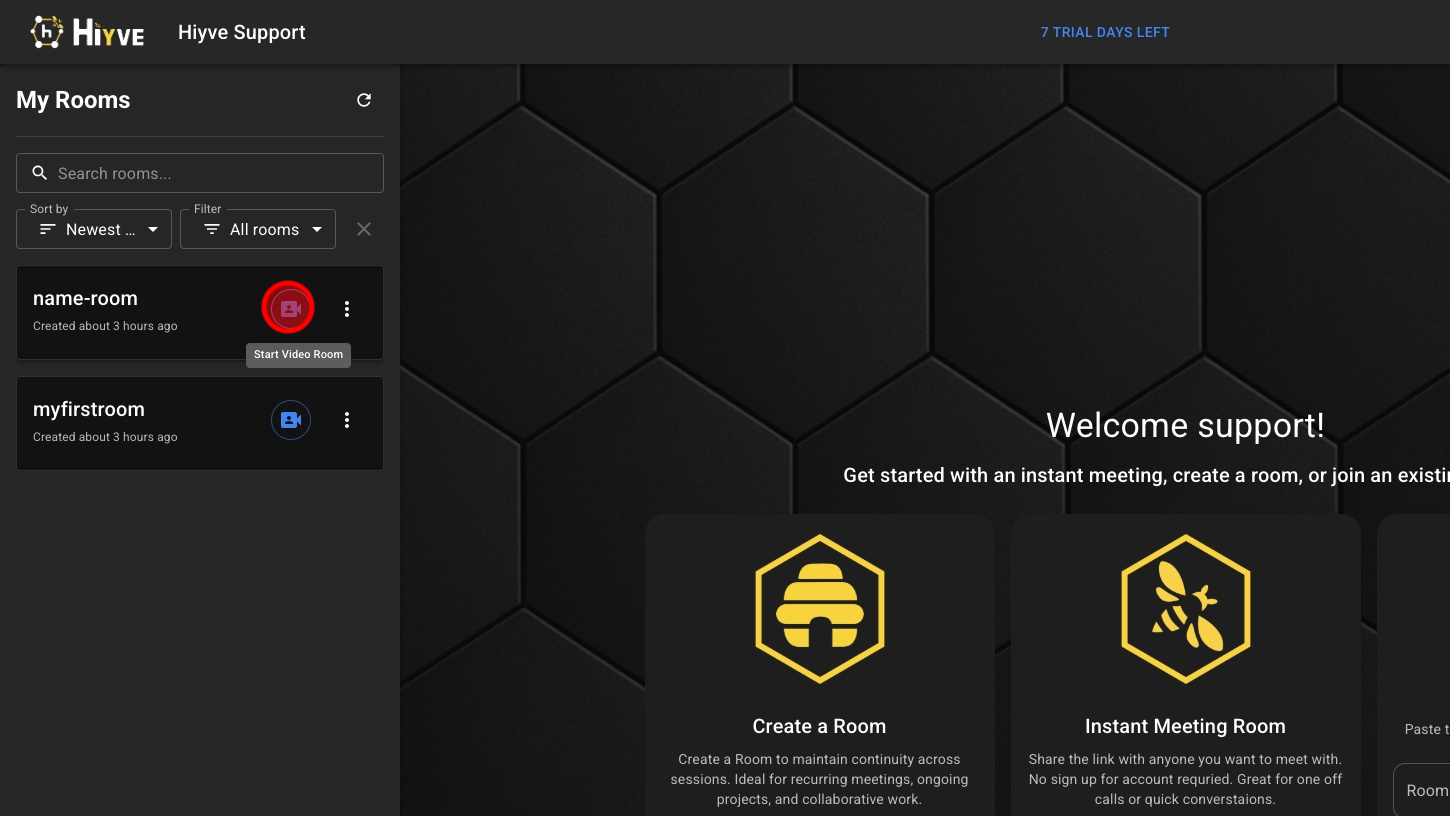
1. Click On The Camera Icon For The Room You Wish To Start
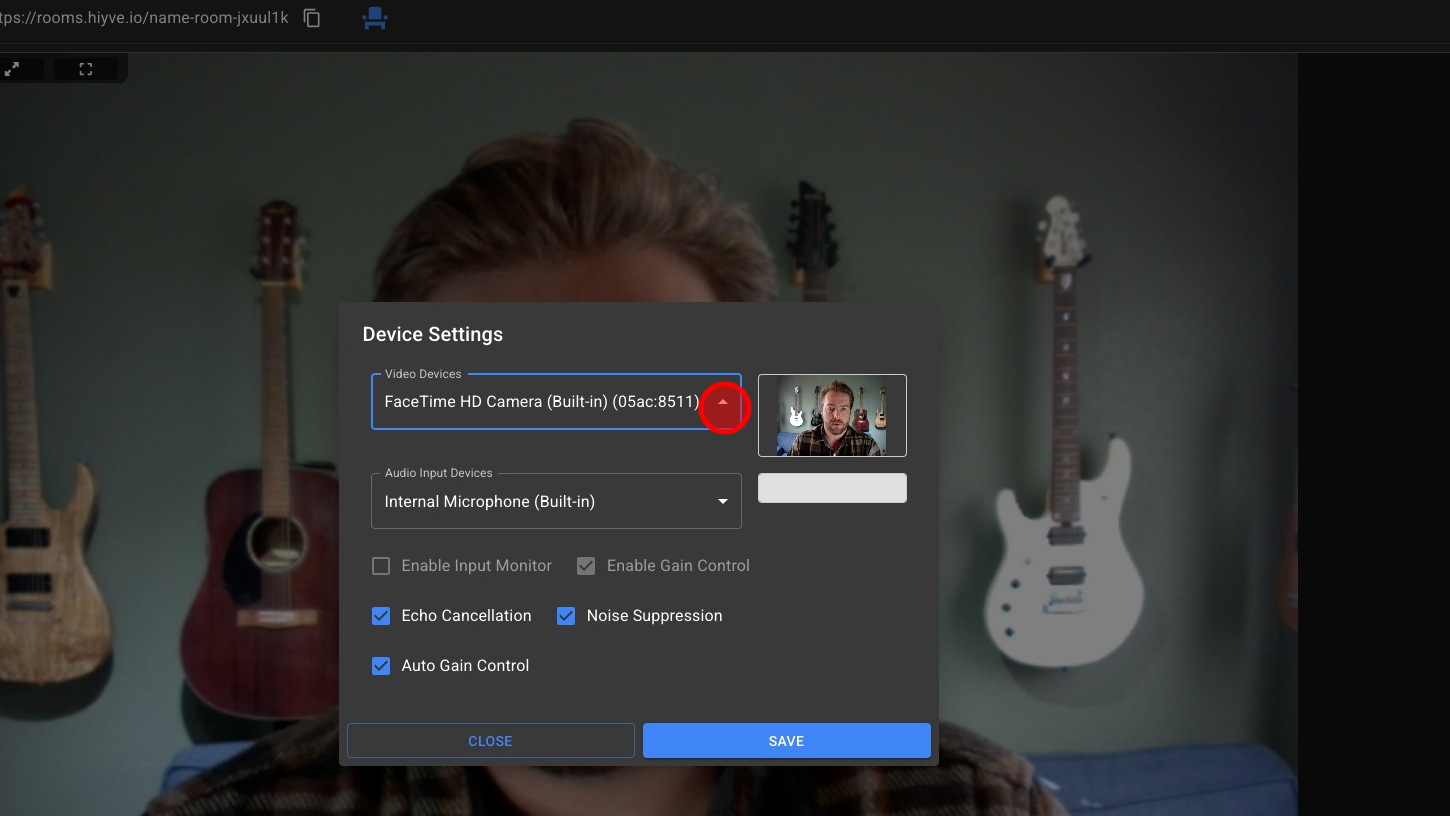
2. Select Your Camera
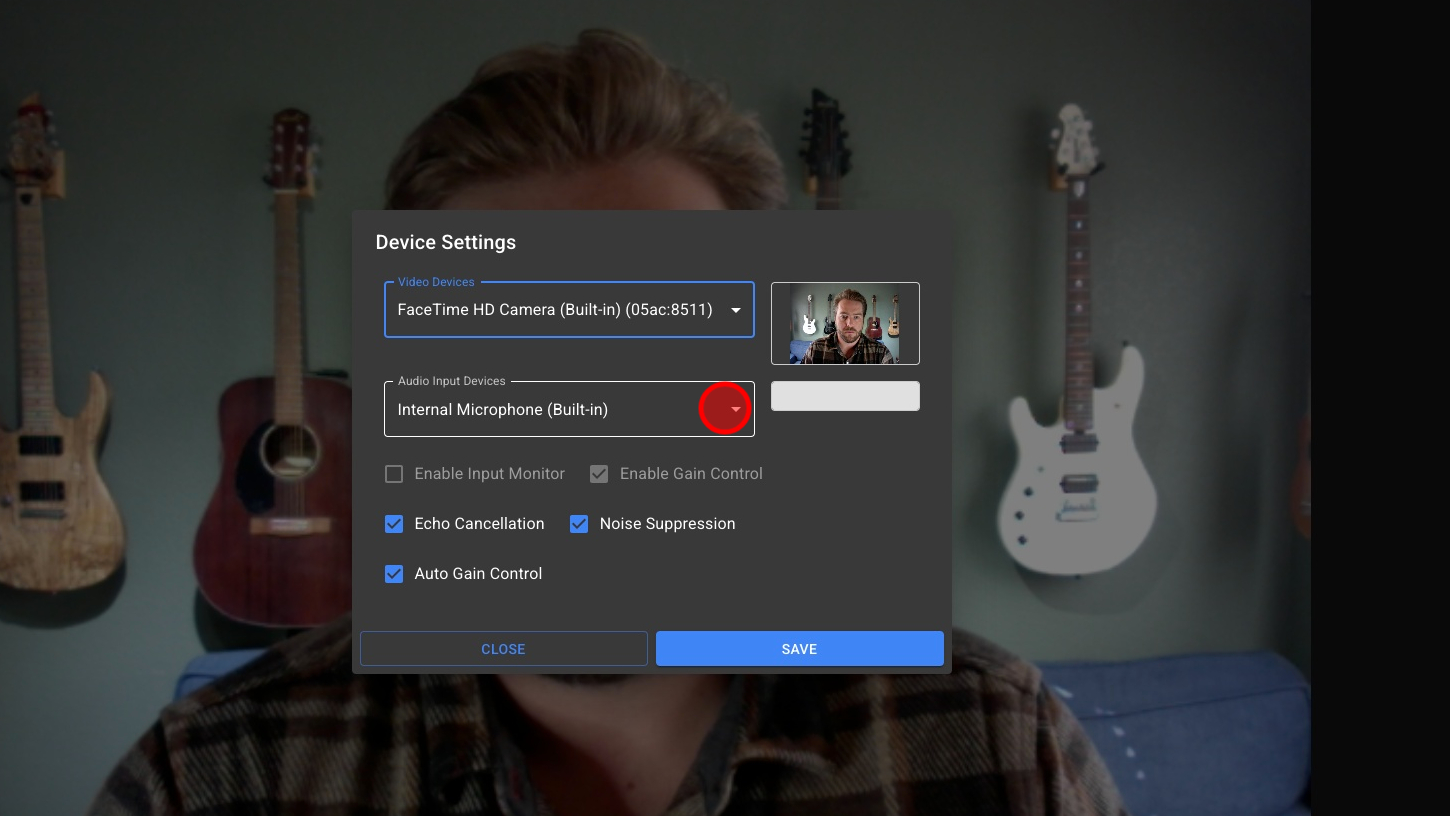
3. Select Your Microphone
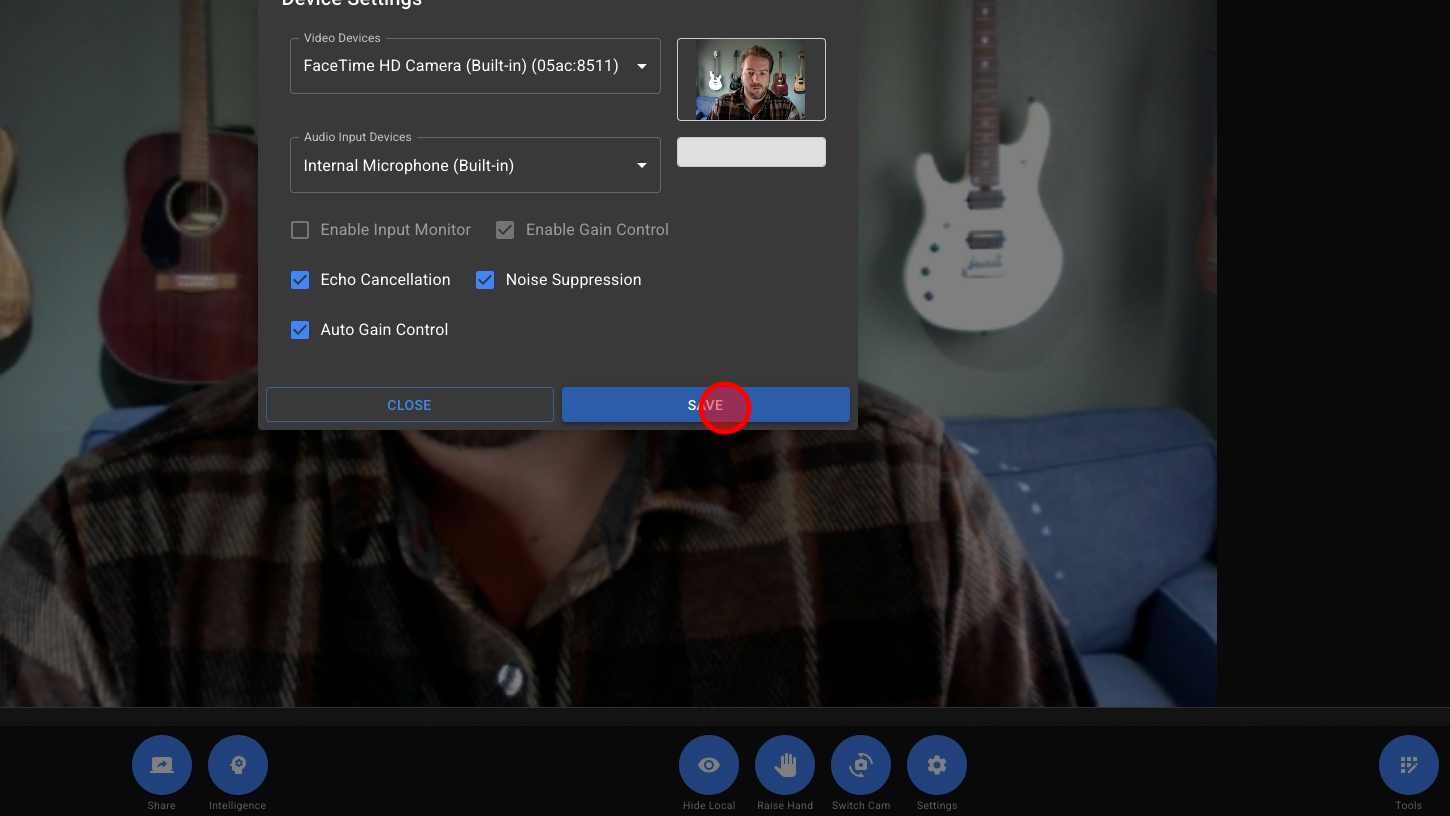
4. **Optional - Enable Audio Options

5. Click 'SAVE' button