.png)
Why Create a Room
Rooms are the foundation of how Hiyve organizes collaboration. Instead of one-off calls, Rooms act as persistent workspaces where you can store tools, save context, and keep everything connected to a specific project, client, team, or lesson.
Creating a Room gives you a dedicated, reusable space that remembers everything—making every meeting more efficient and organized.
Use Rooms to:
Stay organized:
Create separate Rooms for clients, projects, internal teams, or recurring lessons so all content, recordings, notes, chat, and files stay grouped and easy to find.
Prepare ahead:
Pre-load your Room with slides, whiteboards, links, prompts, files, or agenda notes before a meeting so you start productive from the first second.
Build better relationships:
Every client or student gets a dedicated space that stores their history, progress, decisions, and messages - making follow-ups and personalization effortless.
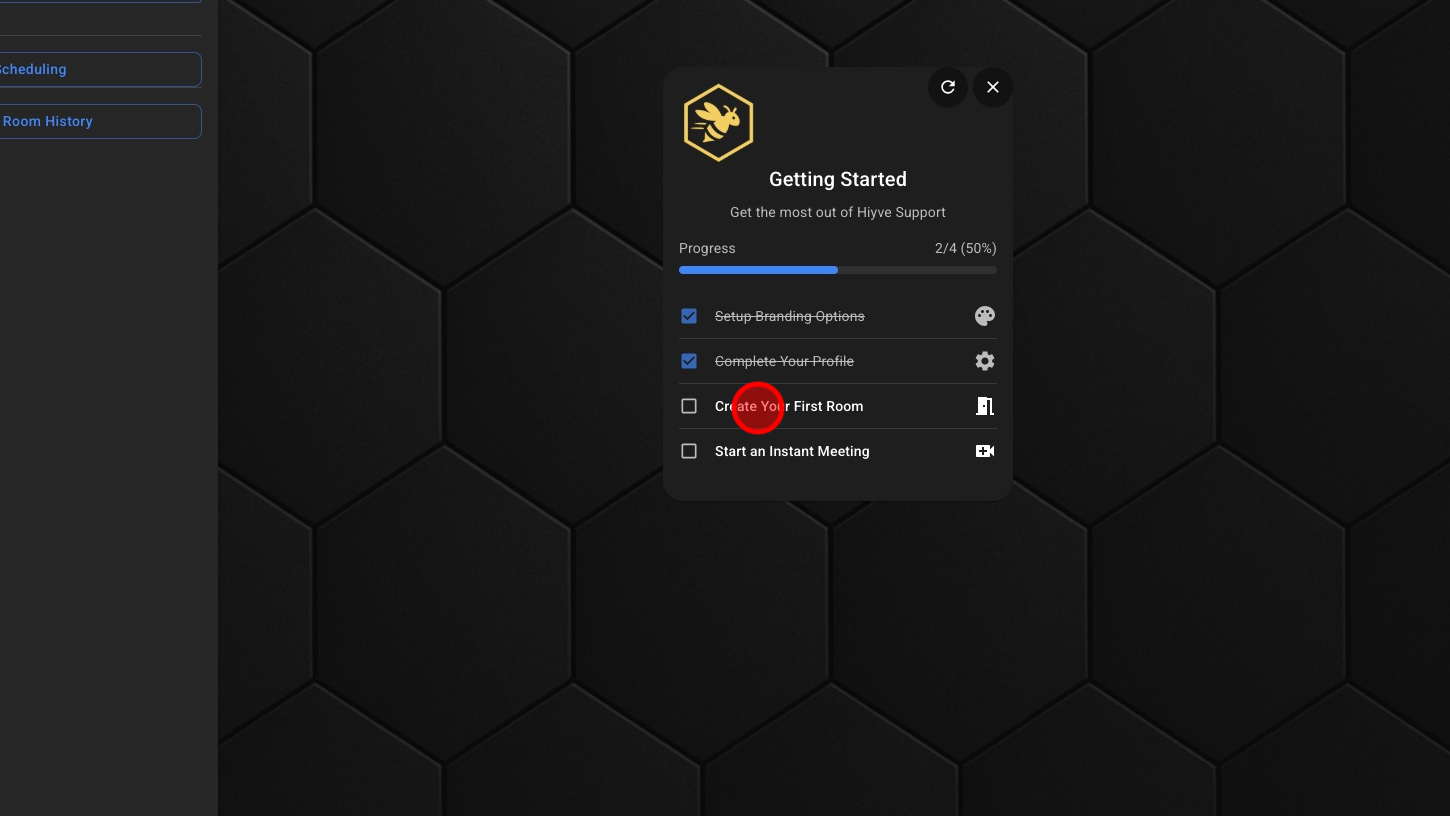
1. Click 'Create Your First Room'
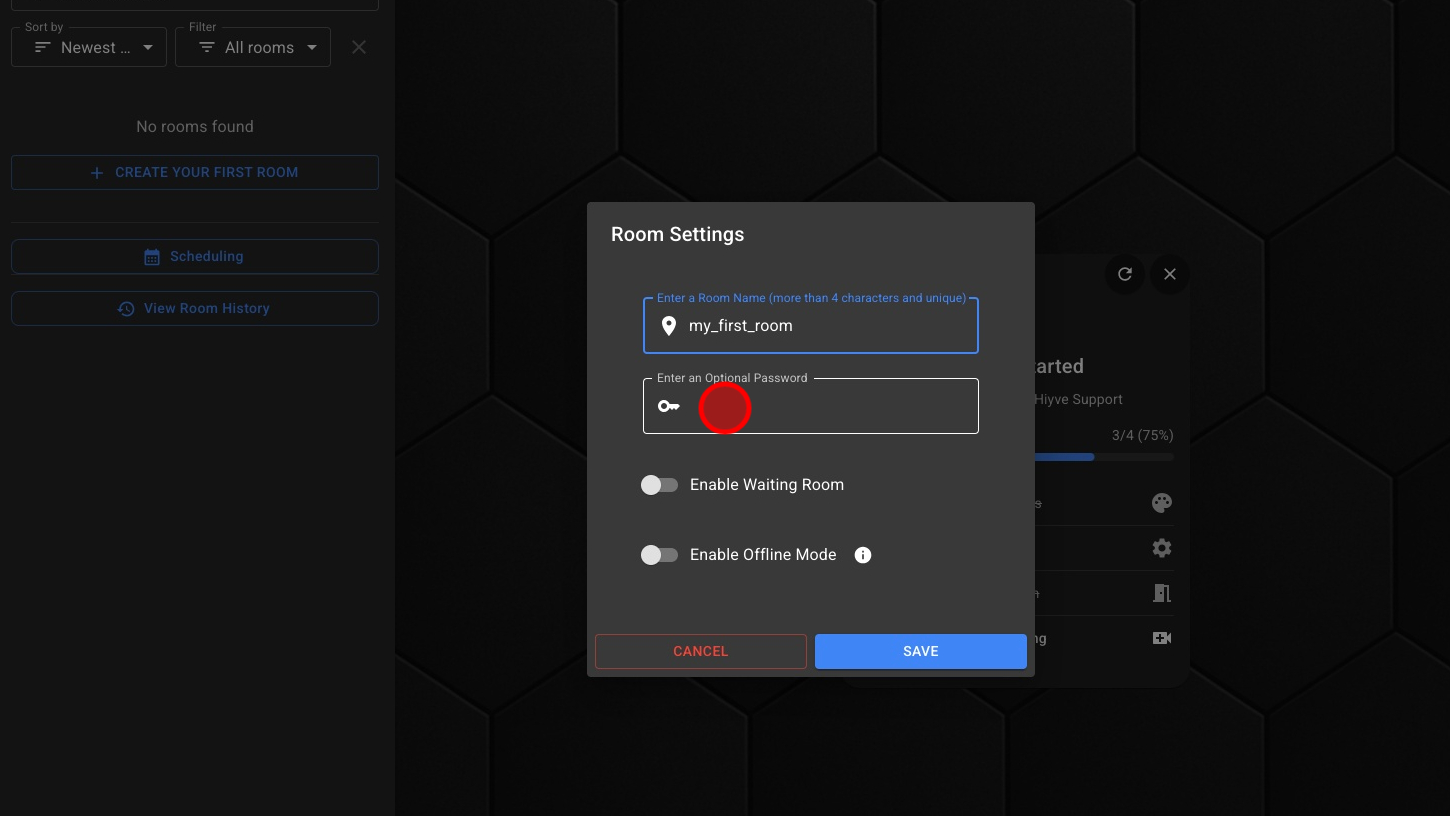
2. Create A Room Name & **Optional Password
3. **Optional - Click 'Enable Waiting Room'
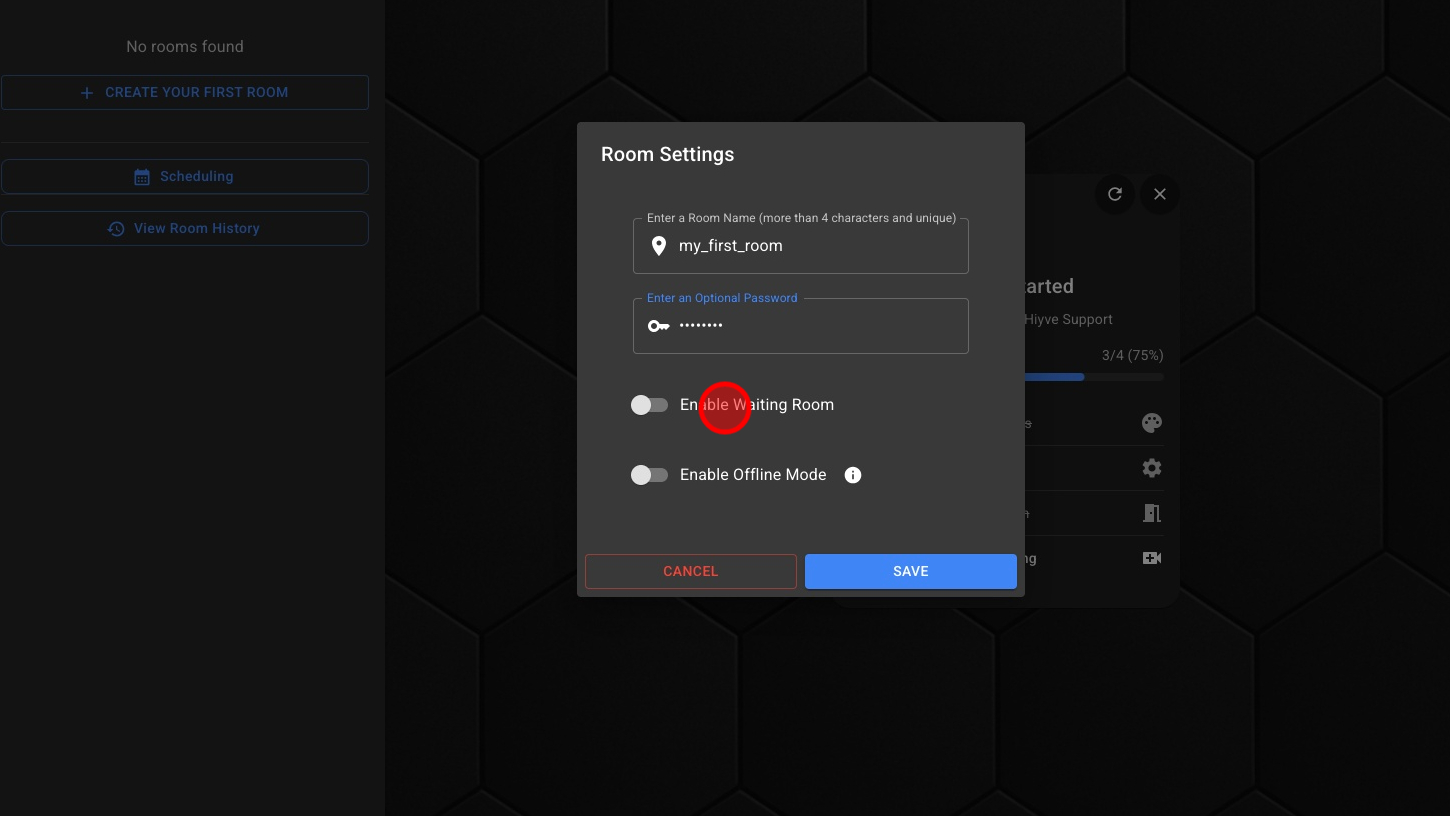
4. **Optional - Click 'Enable Offline Mode'

5. Click 'SAVE' button
